Oracle 19c/21c on RHEL 8: install, patch and post-install
Checklist to prepare RHEL 8, install Oracle Database 19c/21c, apply the 19.13 Release Update with OPatch and tune the database after installation.
Checklist to prepare a Red Hat Enterprise Linux 8 server, install Oracle Database 19c (single instance), apply the 19.13 Release Update with OPatch and tune the database after installation. The examples come from two sets of notes that have been merged: one for 19c (paths /u01, /u02, /u03, SID orcl, 19.13 patch), the other for 19c/21c (paths /u1, /u2, /u3, SID ORCL, 21c installer). Where the two differ, both variants are shown. Paths, SID and host names are generic examples.
System prerequisites
Sudo for the DBA group
Passwordless sudo for an administration account:
su -
echo -e "dba\tALL=(ALL)\tNOPASSWD: ALL" > /etc/sudoers.d/020_sudo_dba
cat /etc/sudoers.d/020_sudo_dba
Minimal server and X11 for the installer (optional)
To work on a server without a full desktop: remove the GUI and keep a minimal X11 stack (see Red Hat solution 3887371 for the minimal graphical stack).
sudo dnf groupinstall -y "Minimal Install"
sudo dnf groupremove -y "Server with GUI"
sudo dnf groupinstall -y "Server"

# minimal graphic stack (see Red Hat solution 3887371)
sudo subscription-manager repos --enable=codeready-builder-for-rhel-8-x86_64-rpms
sudo yum install xorg-x11-server-Xorg xorg-x11-xauth xorg-x11-apps -y
X11 forwarding in /etc/ssh/sshd_config:
AllowTcpForwarding     yes
X11UseLocalhost        yes
X11DisplayOffset       10
X11Forwarding          yes
On the client side, enable forwarding in /etc/ssh/ssh_config:
sudo sed -i -E 's/#\s+ForwardX11 no/ForwardX11 yes/' /etc/ssh/ssh_config
Useful tools
Useful extras: sysstat (sar), gvim, and net-snmp if the server is monitored through SNMP.
sudo yum install sysstat
sudo systemctl enable sysstat
sudo systemctl start sysstat
sudo dnf install gvim
Groups and oracle user
Check which standard groups already exist:
getent group | grep oinstall   # 54321
getent group | grep dba        # 54322
getent group | grep oper       # 54323
getent group | grep dgdba
getent group | grep kmdba
getent group | grep backupdba
Create the missing ones, then the user:
groupadd -g 54321 oinstall
groupadd -g 54322 dba
groupadd -g 54323 oper
groupadd -g 65539 dgdba
groupadd -g 65540 kmdba
groupadd -g 65538 backupdba

useradd -u 54321 -g oinstall -G dba,oper,backupdba,dgdba,kmdba oracle
If the oper GID is already used by another group (for example a monitoring group), pick a free GID.
Required packages
yum install -y bc binutils elfutils-libelf elfutils-libelf-devel fontconfig-devel
yum install -y glibc glibc-devel ksh libaio libaio-devel
yum install -y libXrender libXrender-devel libX11 libXau libXi libXtst
yum install -y libgcc librdmacm-devel libstdc++ libstdc++-devel libxcb
yum install -y make smartmontools sysstat net-tools
dnf install -y gcc
The second source gives the same list as a single command:
yum install -y bc binutils elfutils-libelf elfutils-libelf-devel fontconfig-devel \
  glibc glibc-devel ksh libaio libaio-devel libXrender libXrender-devel libX11 libXau \
  libXi libXtst libgcc librdmacm-devel libstdc++ libstdc++-devel libxcb make \
  smartmontools sysstat net-tools gcc
compat-libcap1, compat-libstdc++-33 and libdtrace-ctf-devel do not exist on RHEL 8 and can be skipped.
If the installer fails with libnsl.so.1: cannot open shared object file (for example a perl binary of the installer: error while loading shared libraries: libnsl.so.1: cannot open shared object file), install the libnsl packages:
dnf install -y libnsl libnsl.i686 libnsl2 libnsl2.i686
Kernel parameters
/etc/sysctl.d/99-oracle.conf:
fs.file-max = 6815744
kernel.sem = 250 32000 100 128
kernel.shmmni = 4096
kernel.shmall = 1073741824
kernel.shmmax = 4398046511104
net.core.rmem_default = 262144
net.core.rmem_max = 4194304
net.core.wmem_default = 262144
net.core.wmem_max = 1048576
fs.aio-max-nr = 1048576
net.ipv4.conf.all.rp_filter = 2
net.ipv4.conf.default.rp_filter = 2
net.ipv4.ip_local_port_range = 9000 65500
Apply without rebooting (or reboot):
/sbin/sysctl -p
sysctl --system
Shell limits
/etc/security/limits.d/99-oracle-limits.conf:
# shell limits for user oracle 19c
oracle   soft   nofile   1024
oracle   hard   nofile   65536
oracle   soft   nproc    16384
oracle   hard   nproc    16384
oracle   soft   stack    10240
oracle   hard   stack    32768
oracle   soft   memlock  134217728
oracle   hard   memlock  134217728
Optional system settings
Transparent HugePages. If the server crashes (see My Oracle Support Doc ID 1557478.1), add transparent_hugepage=never to the kernel command line (GRUB_CMDLINE_LINUX) in /etc/default/grub:
GRUB_CMDLINE_LINUX="crashkernel=auto rd.lvm.lv=ol/root rd.lvm.lv=ol/swap rhgb quiet numa=off transparent_hugepage=never"
Firewall (only if your security policy allows it):
systemctl stop firewalld
systemctl disable firewalld
SELinux, in /etc/selinux/config:
SELINUX=permissive
Disabling the firewall and setting SELinux to permissive are shortcuts; apply your own security policy.
/etc/hosts. Add the server's own name (the second source gives 192.0.2.10 oradb01.example.com oradb01 as an example):
192.0.2.10 dbhost01.example.com dbhost01
Directories
First layout: ORACLE_BASE is /u01/app/oracle and ORACLE_HOME is /u01/app/oracle/product/19c/dbhome_1.
mkdir -p /u01/app/oracle/product/19c/dbhome_1
mkdir -p /u01/app/oraInventory
mkdir -p /u02/oradata /u02/temp
mkdir -p /u03/oracle/flash_recovery_area

chown -R oracle:oinstall /u01 /u02 /u03
chmod -R 775 /u01 /u02 /u03
Second layout: ORACLE_BASE=/u1/app/oracle, ORACLE_HOME=/u1/app/oracle/product/19c/dbhome_1, data in /u2/oradata, recovery and dumps in /u3.
mkdir -p /u1/app/oracle/product/19c/dbhome_1
mkdir -p /u1/app/oraInventory
mkdir -p /u2/oradata
mkdir -p /u3/oracle/fast_recovery_area
mkdir -p /u3/oracle/archivelog

chown -R oracle:oinstall /u1 /u2 /u3
chmod -R 775 /u1 /u2 /u3
Environment of the oracle user
Environment file (first layout):
mkdir /home/oracle/scripts/
cat > /home/oracle/scripts/setEnv.sh <<EOF
# Oracle Settings
export TMP=/tmp
export TMPDIR=\$TMP

export ORACLE_HOSTNAME=dbhost01.example.com
export ORACLE_UNQNAME=orcl
export ORACLE_BASE=/u01/app/oracle
export ORACLE_HOME=\$ORACLE_BASE/product/19c/dbhome_1
export ORA_INVENTORY=/u01/app/oraInventory
export ORACLE_SID=orcl
export DATA_DIR=/u02/oradata

export PATH=/usr/sbin:/usr/local/bin:\$PATH
export PATH=\$ORACLE_HOME/bin:\$PATH

export LD_LIBRARY_PATH=\$ORACLE_HOME/lib:/lib:/usr/lib
export CLASSPATH=\$ORACLE_HOME/jlib:\$ORACLE_HOME/rdbms/jlib
EOF

echo ". /home/oracle/scripts/setEnv.sh" >> /home/oracle/.bash_profile
Same file with the second layout (/u1, /u2, SID ORCL):
mkdir /home/oracle/scripts/
cat > /home/oracle/scripts/setEnv.sh <<EOF
# Oracle Settings
export TMP=/tmp
export TMPDIR=\$TMP

export ORACLE_HOSTNAME=oradb01.example.com
export ORACLE_UNQNAME=ORCL
export ORACLE_BASE=/u1/app/oracle
export ORACLE_HOME=\$ORACLE_BASE/product/19c/dbhome_1
export ORA_INVENTORY=/u1/app/oraInventory
export ORACLE_SID=ORCL
export DATA_DIR=/u2/oradata

export PATH=/usr/sbin:/usr/local/bin:\$PATH
export PATH=\$ORACLE_HOME/bin:\$PATH

export LD_LIBRARY_PATH=\$ORACLE_HOME/lib:/lib:/usr/lib
export CLASSPATH=\$ORACLE_HOME/jlib:\$ORACLE_HOME/rdbms/jlib
EOF

echo ". /home/oracle/scripts/setEnv.sh" >> /home/oracle/.bash_profile
Start and stop scripts:
cat > /home/oracle/scripts/start_all.sh <<EOF
#!/bin/bash
. /home/oracle/scripts/setEnv.sh

export ORAENV_ASK=NO
. oraenv
export ORAENV_ASK=YES

dbstart \$ORACLE_HOME
EOF

cat > /home/oracle/scripts/stop_all.sh <<EOF
#!/bin/bash
. /home/oracle/scripts/setEnv.sh

export ORAENV_ASK=NO
. oraenv
export ORAENV_ASK=YES

dbshut \$ORACLE_HOME
EOF

chown -R oracle:oinstall /home/oracle/scripts
chmod u+x /home/oracle/scripts/*.sh
Installation
Unzip the installer into ORACLE_HOME, then run runInstaller as the oracle user. For 19c:
unzip /u02/temp/LINUX.X64_193000_db_home.zip -d /u01/app/oracle/product/19c/dbhome_1
cd /u01/app/oracle/product/19c/dbhome_1
./runInstaller
For 21c (second source):
unzip /u2/temp/LINUX.X64_213000_db_home.zip -d /u1/app/oracle/product/21c/dbhome_1
cd /u1/app/oracle/product/21c/dbhome_1
./runInstaller
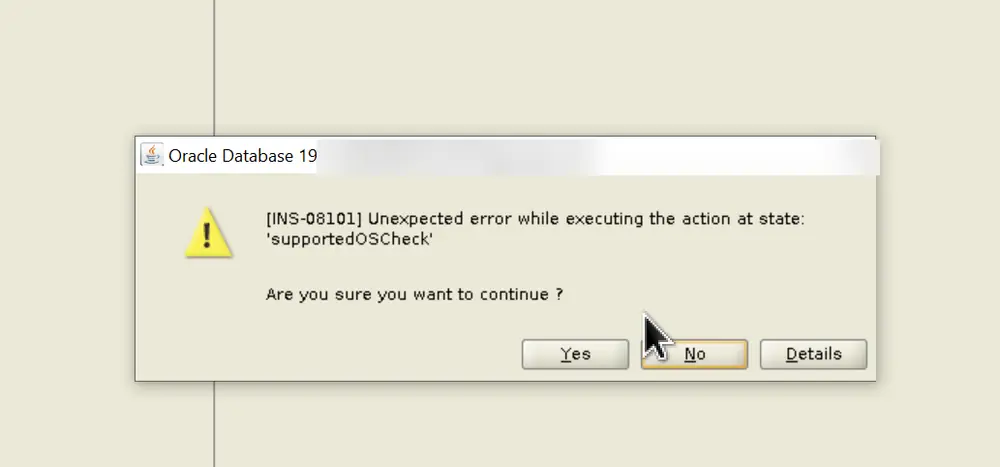
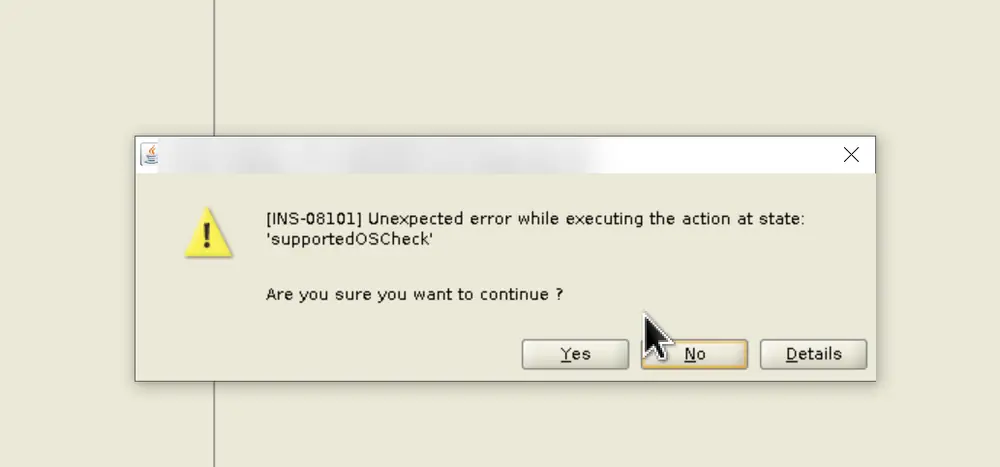
On RHEL 8 the installer does not recognise the distribution (prerequisite check, INS-08101 error). Make it assume Oracle Linux 8 in cvu_config before launching the installer:
sed -i 's/#CV_ASSUME_DISTID=OEL5/CV_ASSUME_DISTID=OEL8/' /u01/app/oracle/product/19c/dbhome_1/cv/admin/cvu_config
Same command using $ORACLE_HOME:
sed -i 's/#CV_ASSUME_DISTID=OEL5/CV_ASSUME_DISTID=OEL8/' $ORACLE_HOME/cv/admin/cvu_config
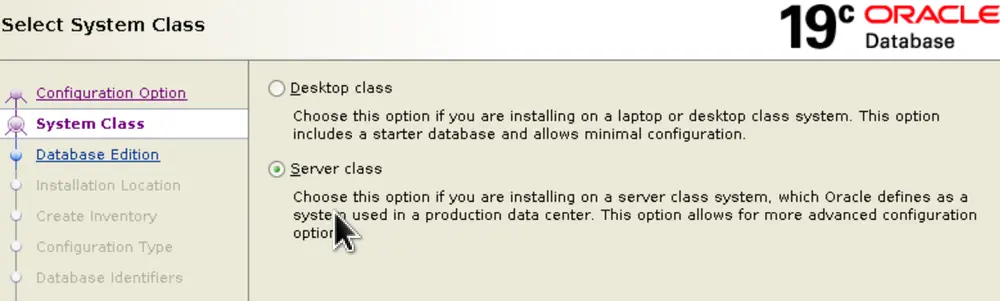
Installer wizard steps (screenshots from the first source, then from the second):
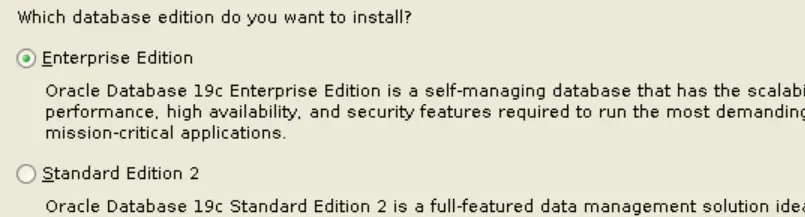
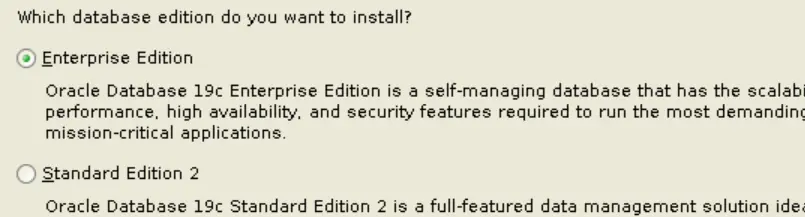
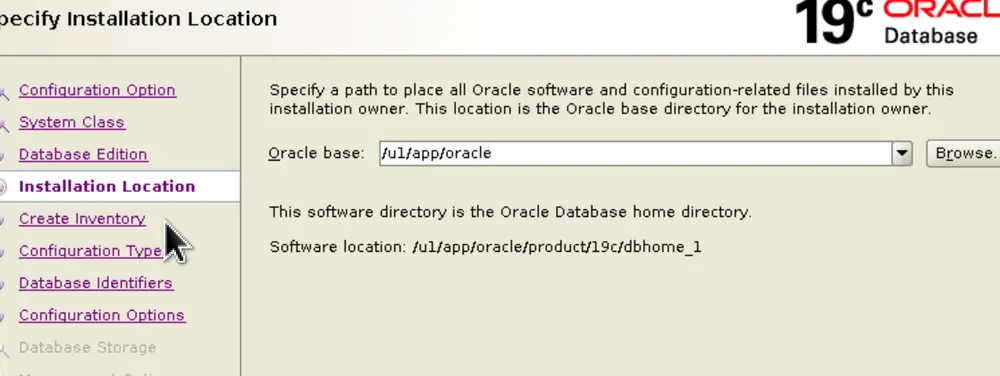
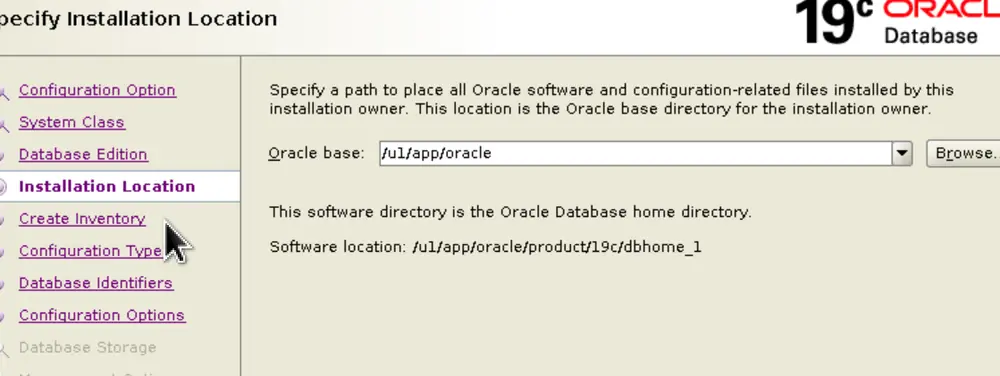
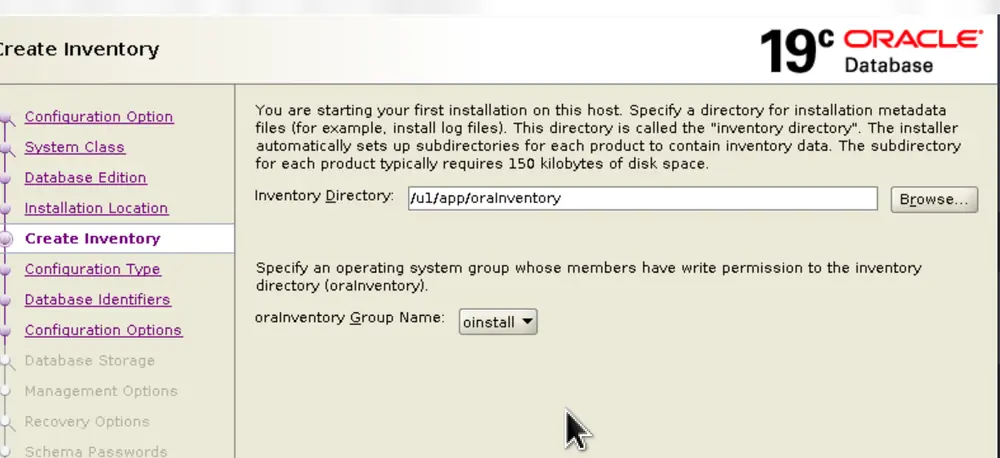
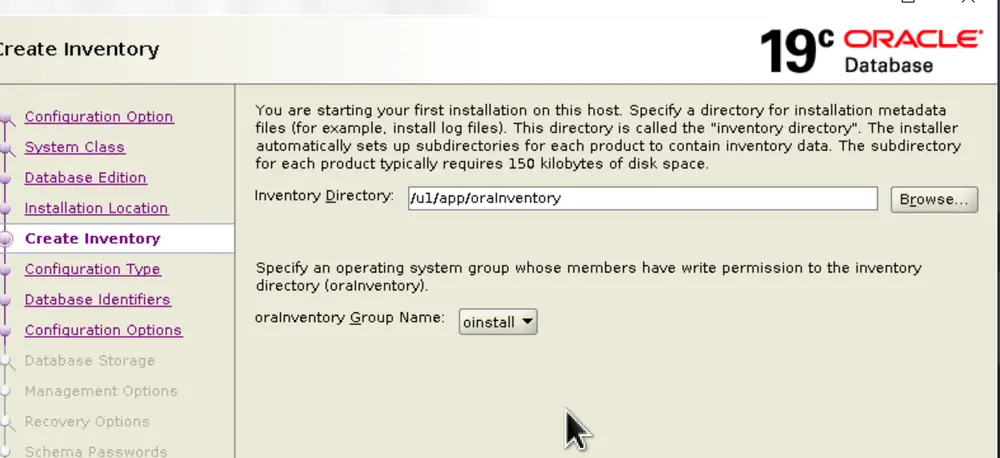
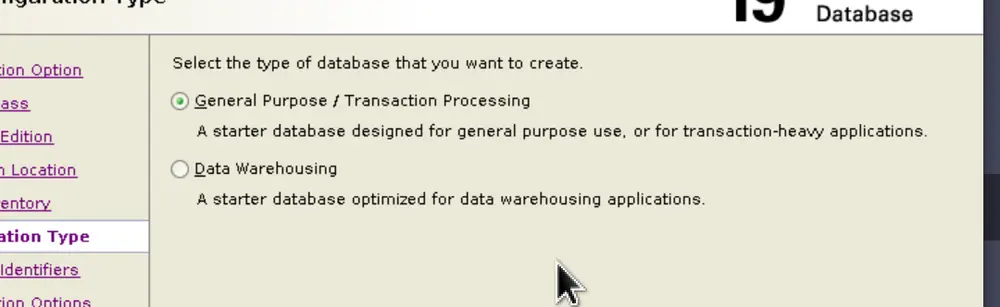
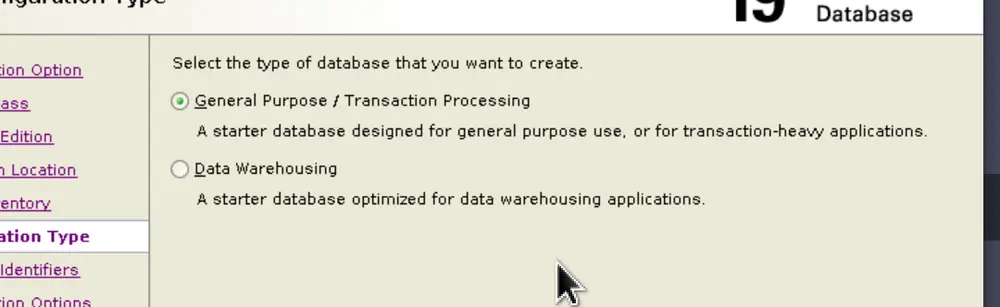
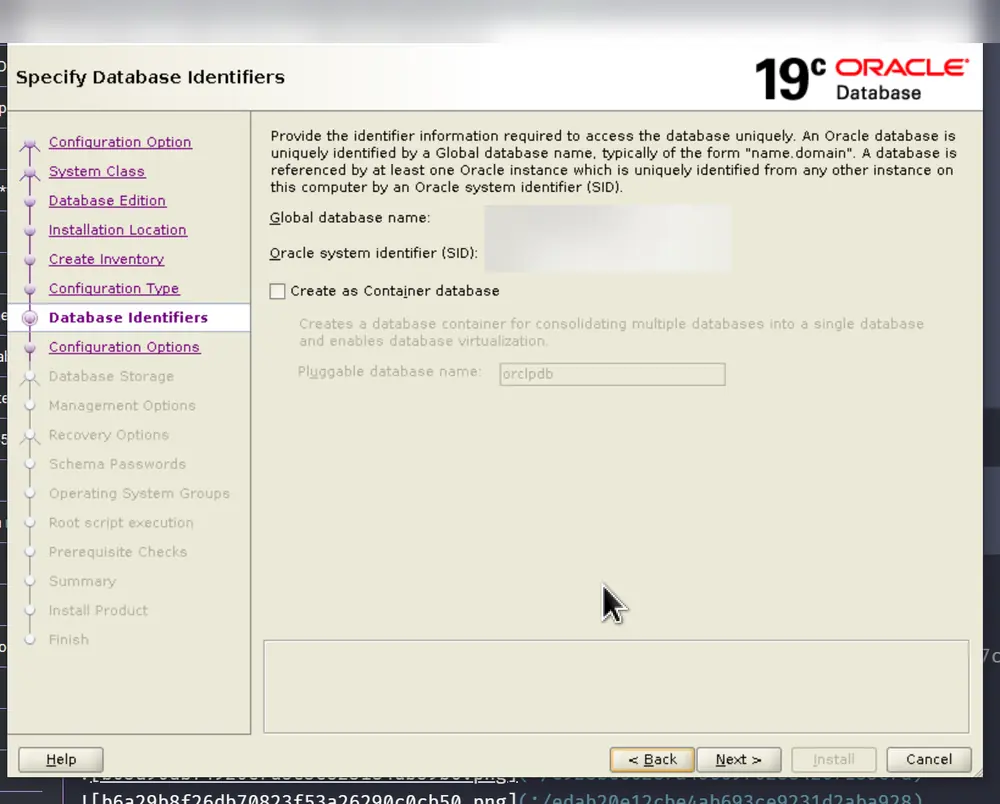
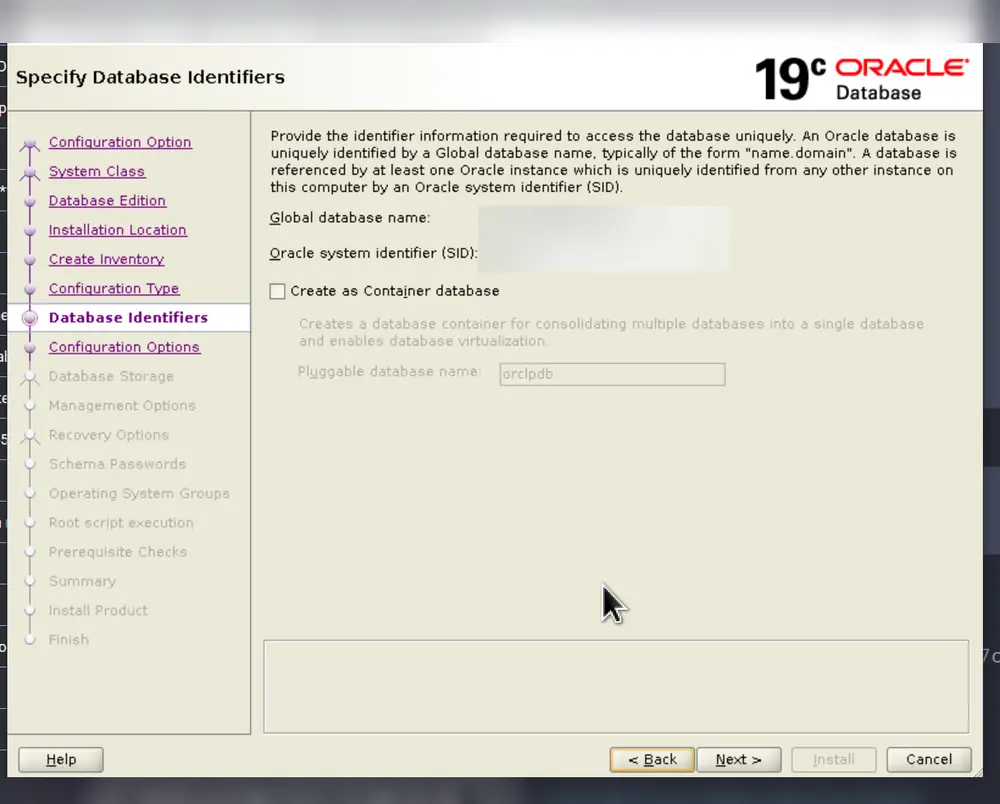
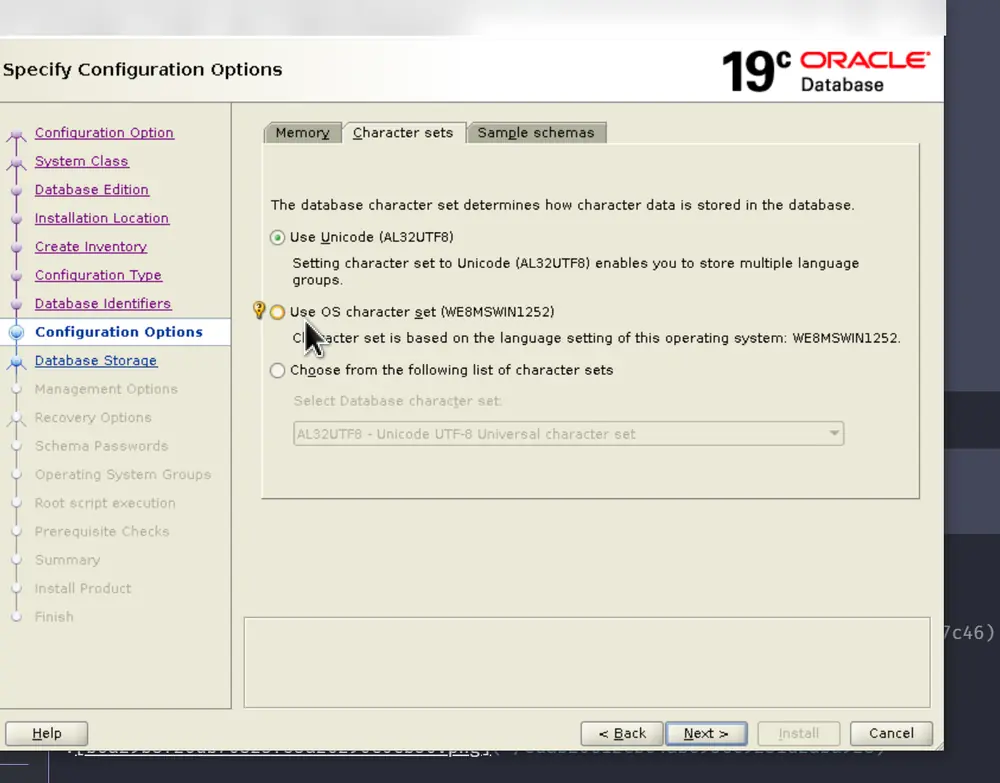
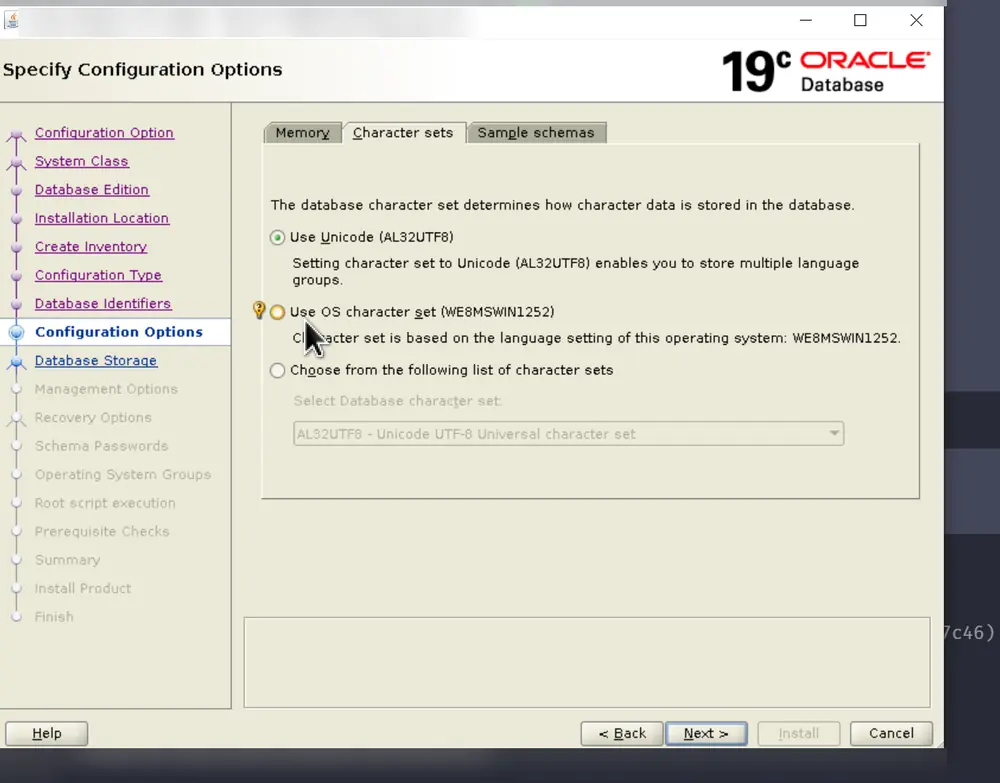
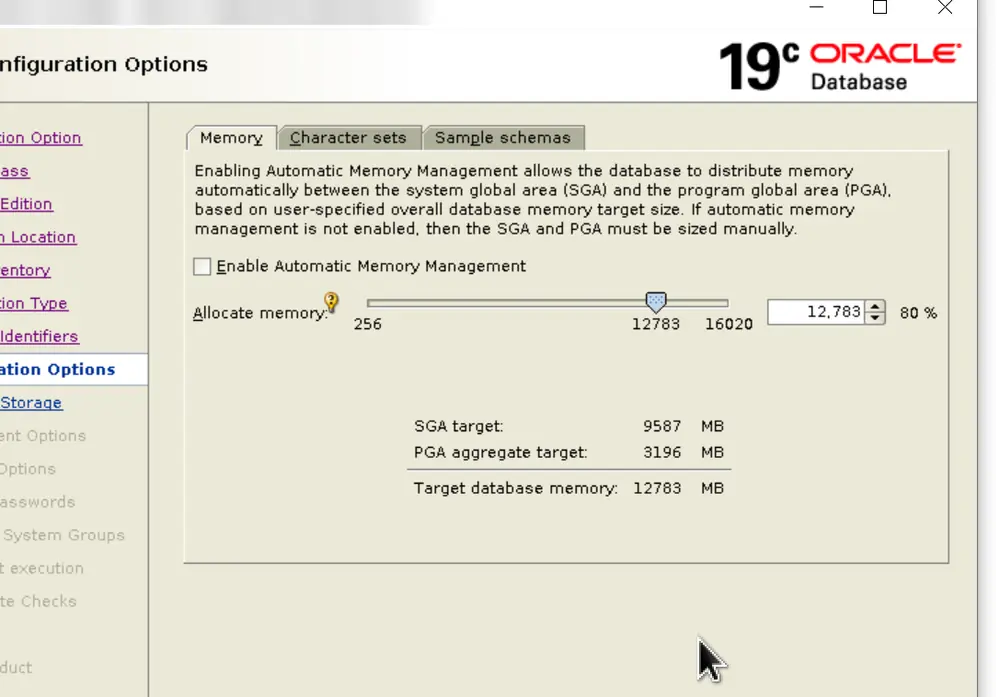
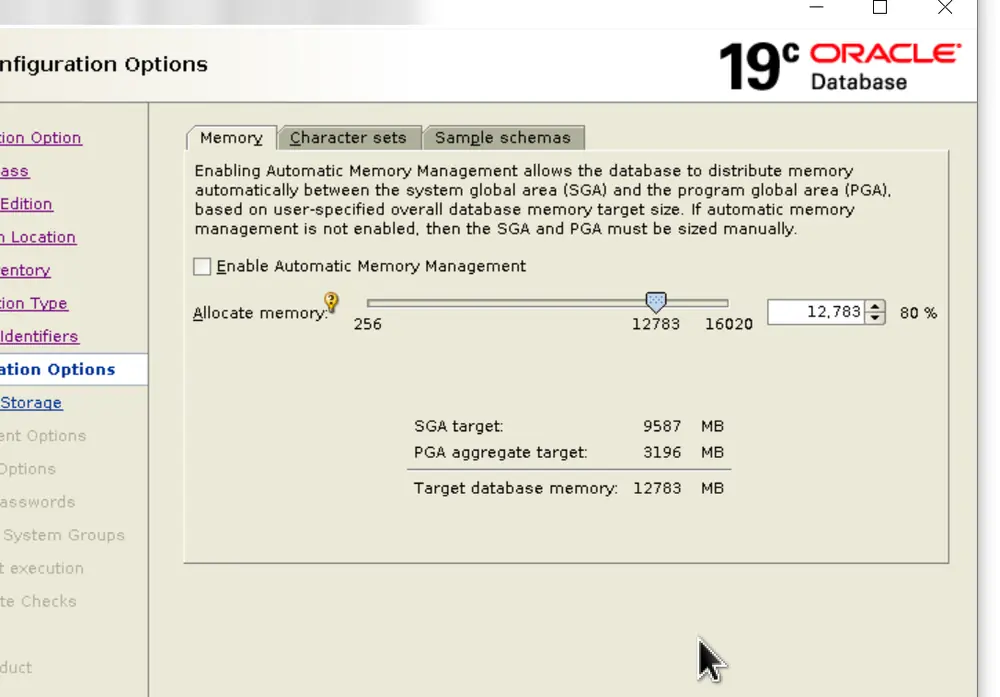
After the installation, check that the alert log shows no error.
Patching to 19.13 (OPatch and Release Update)
Update OPatch
Back up the current OPatch, then replace it with the latest version (patch 6880880, downloaded from My Oracle Support, version matching your release). Example for 19c:
DATE=$(date '+%Y%m%d%H%M%S')
cd $ORACLE_HOME
tar -zcvf OPatch-${DATE}.tgz $ORACLE_HOME/OPatch
mv *.tgz /u02/temp/
tar -tvf /u02/temp/OPatch-${DATE}.tgz

cp /u02/temp/p6880880_190000_Linux-x86-64.zip $ORACLE_HOME
cd $ORACLE_HOME
rm -rf OPatch/
unzip p6880880_190000_Linux-x86-64.zip
Example from the second source (21c file, backup in /u3/oracle/backup/), which also checks the version and inventory:
DATE=$(date '+%Y%m%d%H%M%S')
cd $ORACLE_HOME
tar -zcvf OPatch-${DATE}.tgz $ORACLE_HOME/OPatch
mv *.tgz /u3/oracle/backup/
tar -tvf /u3/oracle/backup/OPatch-${DATE}.tgz

cp /u2/temp/p6880880_210000_Linux-x86-64.zip $ORACLE_HOME
cd $ORACLE_HOME
rm -rf OPatch/
unzip p6880880_210000_Linux-x86-64.zip

export PATH=$PATH:$ORACLE_HOME/OPatch
$ORACLE_HOME/OPatch/opatch lsinventory
Check the version and the current inventory:
export PATH=$PATH:$ORACLE_HOME/OPatch
$ORACLE_HOME/OPatch/opatch lsinventory
Prepare and check the patch
Copy the patch zip (here p33182768_190000_Linux-x86-64.zip) to /u02/temp and unzip it:
cd /u02/temp
unzip p33182768_190000_Linux-x86-64.zip
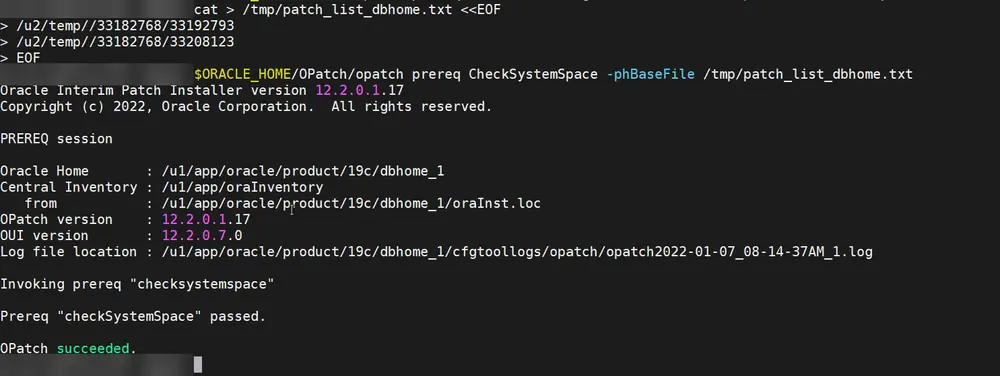
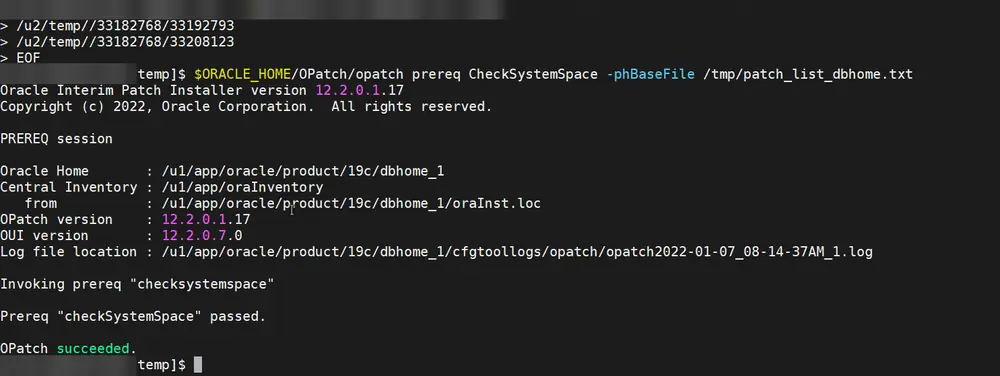
Check for conflicts, then check the free space for all sub-patches:
$ORACLE_HOME/OPatch/opatch prereq CheckConflictAgainstOHWithDetail -phBaseDir /u02/temp/33182768/33192793

cat > /tmp/patch_list_dbhome.txt <<EOF
/u02/temp/33182768/33192793
/u02/temp/33182768/33208123
EOF

$ORACLE_HOME/OPatch/opatch prereq CheckSystemSpace -phBaseFile /tmp/patch_list_dbhome.txt
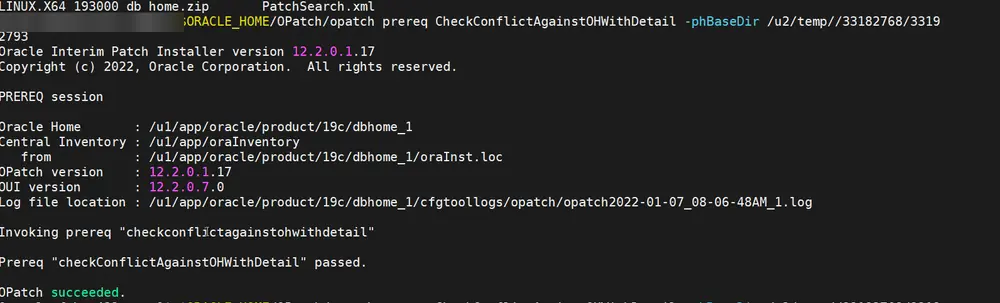
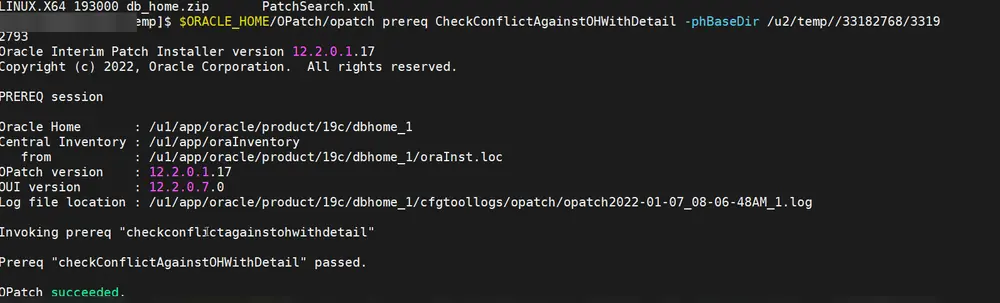
Generic version from the second source, with placeholders for the patch and its sub-patches:
cd /u2/temp/
unzip <patch_zip_file>

$ORACLE_HOME/OPatch/opatch prereq CheckConflictAgainstOHWithDetail -phBaseDir /u2/temp/<patch_id>/<sub_patch_id>

cat > /tmp/patch_list_dbhome.txt <<EOF
/u2/temp/<patch_id>/<sub_patch_id_1>
/u2/temp/<patch_id>/<sub_patch_id_2>
EOF
$ORACLE_HOME/OPatch/opatch prereq CheckSystemSpace -phBaseFile /tmp/patch_list_dbhome.txt
Apply
Stop the database and listener, then:
cd /u02/temp/33182768/33192793
opatch apply
Post-patch steps:
sqlplus /nolog
connect / as sysdba
startup
quit
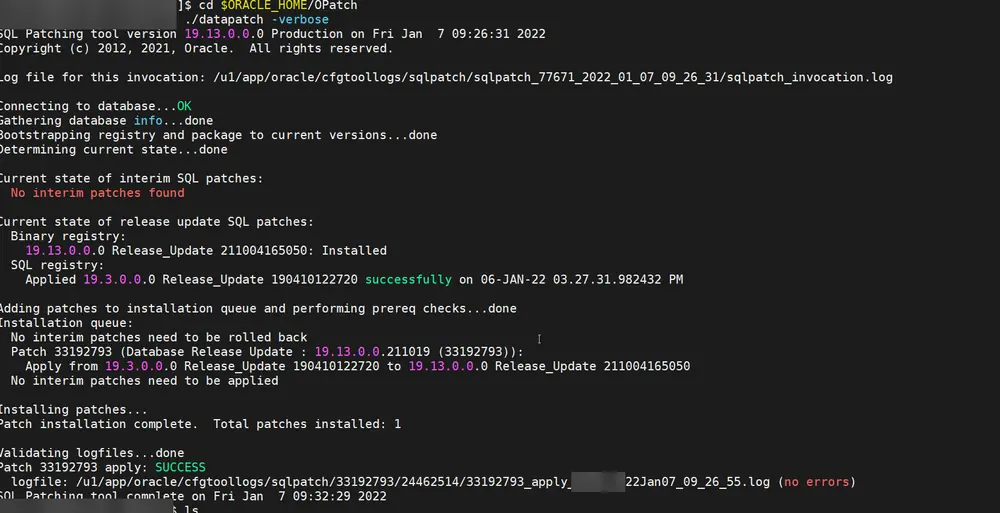
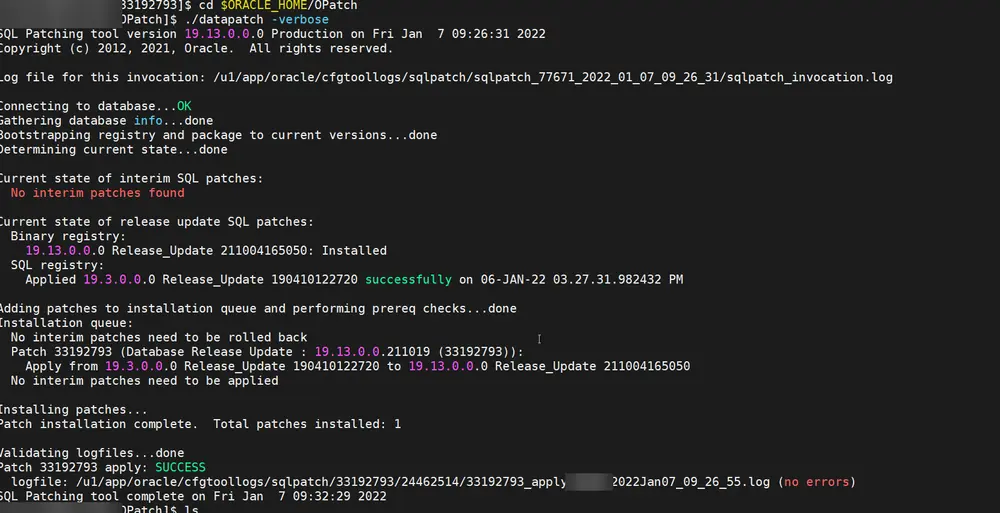
cd $ORACLE_HOME/OPatch
./datapatch -verbose
Variant from the second source (apply with placeholders, then datapatch and inventory check):
cd <UNZIPPED_PATCH_LOCATION>/<patch_id>/<sub_patch_id>
opatch apply

sqlplus /nolog
connect / as sysdba
startup
quit
cd $ORACLE_HOME/OPatch
./datapatch -verbose
$ORACLE_HOME/OPatch/opatch lsinventory
If opatch apply complains that a library is in use, find and stop the processes holding it, then retry. Only use kill -9 after checking what the processes are.
/sbin/fuser $ORACLE_HOME/lib/libclntsh.so.<version>
ps -ef | grep <pid>
kill -9 <pid>
Post-installation settings
Save the configuration
First layout:
column TODAY new_value datestr;
SELECT TO_CHAR (SYSDATE, 'YYYYMMDDHH24MISS') "TODAY" FROM DUAL;
define myv = &DATESTR._spfile.ora
define myv
create pfile='/u03/oracle/flash_recovery_area/&myv' from spfile;
Second layout (/u3/oracle/fast_recovery_area/ORCL area):
column TODAY new_value datestr;
SELECT TO_CHAR (SYSDATE, 'YYYYMMDDHH24MISS') "TODAY" FROM DUAL;
define myv = &DATESTR._spfile.ora
define myv
create pfile='/u3/oracle/fast_recovery_area/ORCL/&myv' from spfile;
Multiplex the control files
Look at the current layout:
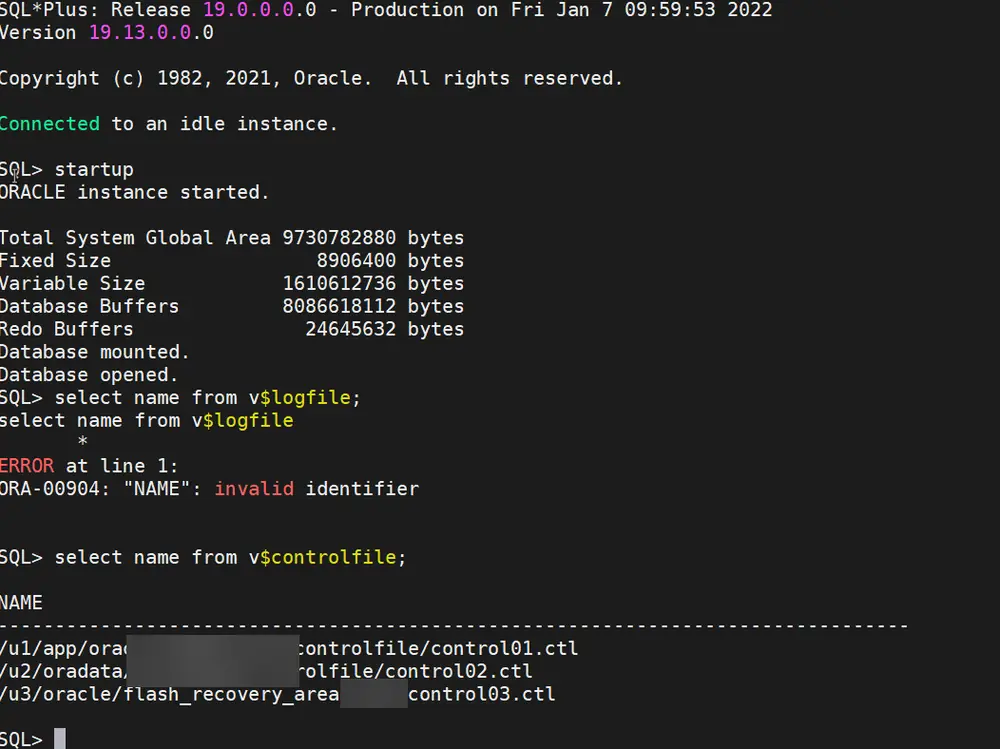
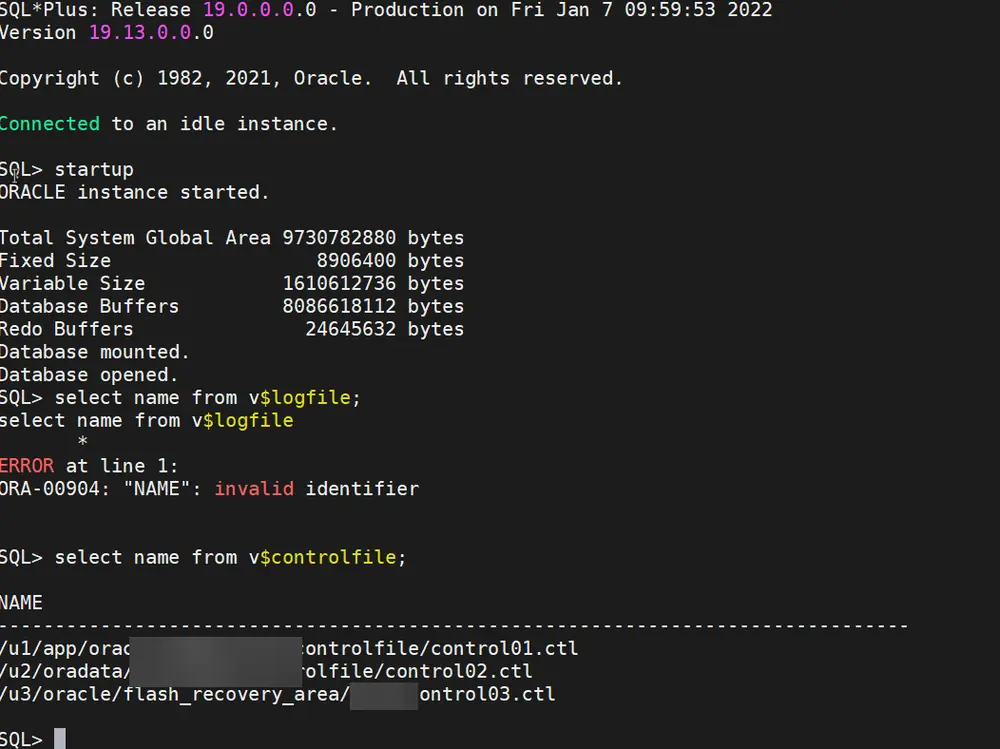
select name from v$controlfile;
set linesize 400
column NAME_COL_PLUS_SHOW_PARAM format A40
column TYPE format A20
column VALUE_COL_PLUS_SHOW_PARAM format A100
show parameter control_files;
Initial layout:
/u02/oradata/orcl/control01.ctl
/u03/oracle/flash_recovery_area/orcl/control02.ctl
Target layout, spreading the copies on three file systems:
/u01/app/oracle/admin/orcl/control01.ctl
/u02/oradata/orcl/control02.ctl
/u03/oracle/flash_recovery_area/orcl/control03.ctl
alter system set control_files='/u01/app/oracle/admin/orcl/control01.ctl',
                               '/u02/oradata/orcl/control02.ctl',
                               '/u03/oracle/flash_recovery_area/orcl/control03.ctl'
scope=spfile;
With the database stopped, move the files, then restart it:
mv /u02/oradata/orcl/control01.ctl /u01/app/oracle/admin/orcl/control01.ctl
cp /u01/app/oracle/admin/orcl/control01.ctl /u02/oradata/orcl/control02.ctl
mv /u03/oracle/flash_recovery_area/orcl/control02.ctl /u03/oracle/flash_recovery_area/orcl/control03.ctl
Same operation with the second layout (/u1, /u2, /u3, SID ORCL):
alter system set control_files='/u1/app/oracle/admin/ORCL/control01.ctl',
                               '/u2/oradata/ORCL/control02.ctl',
                               '/u3/oracle/fast_recovery_area/ORCL/control03.ctl'
scope=spfile;
mv /u2/oradata/ORCL/control01.ctl /u1/app/oracle/admin/ORCL/control01.ctl
cp /u1/app/oracle/admin/ORCL/control01.ctl /u2/oradata/ORCL/control02.ctl
mv /u3/oracle/fast_recovery_area/ORCL/control02.ctl /u3/oracle/fast_recovery_area/ORCL/control03.ctl
Move the archived logs out of the recovery area
show parameter log_archive_dest_1;
show parameter db_recovery

alter system set log_archive_dest_1 = 'LOCATION=/u03/oracle/archivelog/orcl';
alter system set db_recovery_file_dest = '';
show parameter log_archive_dest_1
alter system set LOG_ARCHIVE_FORMAT = "log%t_%s_%r.arc" scope=spfile;
Second layout:
show parameter log_archive_dest_1;
show parameter db_recovery;

alter system set log_archive_dest_1 = 'LOCATION=/u3/oracle/archivelog/ORCL';
alter system set db_recovery_file_dest = '';
show parameter log_archive_dest_1
alter system set LOG_ARCHIVE_FORMAT = "log%t_%s_%r.arc" scope=spfile;
Oracle Managed Files (OMF)
show parameter db_create_file_dest
show parameter db_create_online_log_dest
alter system set db_create_file_dest = '/u02/oradata/ORCL/datafile' scope=both;
alter system set db_create_online_log_dest_1 = '/u02/oradata/ORCL/onlinelog' scope=both;
Second layout:
show parameter db_create_file_dest
show parameter db_create_online_log_dest
alter system set db_create_file_dest = '/u2/oradata/ORCL/datafile' scope=both;
alter system set db_create_online_log_dest_1 = '/u2/oradata/ORCL/onlinelog' scope=both;
ADR purge policy (adrci)
show homes
set home diag/rdbms/orcl/orcl
show control
set control (SHORTP_POLICY=14)
set control (LONGP_POLICY=21)
purge
show control
show base
set base "/u01/app/oracle"
Second source (home diag/rdbms/orcl/ORCL):
show homes
set home diag/rdbms/orcl/ORCL
show control
set control (SHORTP_POLICY=14)
set control (LONGP_POLICY=21)
purge
show base
Manual purge of trace and alert files older than a given age in minutes (168 hours = 10080 minutes):
purge -age 10080 -type TRACE
purge -age 10080 -type ALERT
Script applying a policy to every ADR home, looping over the output of adrci exec="show home" (policies are expressed in hours):
#!/bin/sh
for ADRHOME in `adrci exec="show home"`
do
    if [ $ADRHOME = "ADR" -o $ADRHOME = "Homes:" ]
    then
        continue;
    fi
    echo $ADRHOME
    adrci <<EOF
         set home $ADRHOME
         set control (SHORTP_POLICY = 168)
         set control (LONGP_POLICY = 168)
         purge
         exit
EOF
done
HugePages and swappiness
Find the GID of the dba group (getent group | grep dba), then in /etc/sysctl.conf:
# huge pages
vm.nr_hugepages=1003
vm.hugetlb_shm_group=54322
vm.swappiness = 0
Reboot, then check:
grep Huge /proc/meminfo
Adjust vm.nr_hugepages to your SGA size.
Start the database at boot with systemd
Unit file, for example /etc/systemd/system/oracle-db.service (adapted from a Martin Bach article on using systemd to start an Oracle single-instance database):
[Unit]
Description=a service to start databases and listener automatically
After=syslog.target network.target

[Service]
LimitNOFILE=1024:65536
LimitNPROC=2047:16384
LimitSTACK=10485760:33554432
LimitMEMLOCK=infinity

Type=forking

User=oracle
Group=oinstall

ExecStart=/u01/app/oracle/product/19c/dbhome_1/bin/dbstart /u01/app/oracle/product/19c/dbhome_1
ExecStop=/u01/app/oracle/product/19c/dbhome_1/bin/dbshut /u01/app/oracle/product/19c/dbhome_1

RemainAfterExit=True
Restart=no

[Install]
WantedBy=multi-user.target
Same file with the second layout (/u1):
[Unit]
Description=a service to start databases and listener automatically
After=syslog.target network.target

[Service]
LimitNOFILE=1024:65536
LimitNPROC=2047:16384
LimitSTACK=10485760:33554432
LimitMEMLOCK=infinity

Type=forking

User=oracle
Group=oinstall

ExecStart=/u1/app/oracle/product/19c/dbhome_1/bin/dbstart /u1/app/oracle/product/19c/dbhome_1
ExecStop=/u1/app/oracle/product/19c/dbhome_1/bin/dbshut /u1/app/oracle/product/19c/dbhome_1

RemainAfterExit=True
Restart=no

[Install]
WantedBy=multi-user.target
sudo systemctl daemon-reload
sudo systemctl enable oracle-db
sudo systemctl start oracle-db
sudo systemctl status oracle-db
Monitoring user
Minimal grants for a read-only monitoring account (here a generic monitor_usr; replace the password):
CREATE USER monitor_usr IDENTIFIED BY "<PASSWORD>" DEFAULT TABLESPACE "USERS" TEMPORARY TABLESPACE "TEMP";
GRANT CREATE SESSION TO monitor_usr;
GRANT SELECT_CATALOG_ROLE TO monitor_usr;
GRANT CONNECT TO monitor_usr;
GRANT SELECT ANY DICTIONARY TO monitor_usr;
GRANT SELECT ON V_$SYSSTAT TO monitor_usr;
GRANT SELECT ON V_$INSTANCE TO monitor_usr;
GRANT SELECT ON V_$LOG TO monitor_usr;
GRANT SELECT ON SYS.DBA_DATA_FILES TO monitor_usr;
GRANT SELECT ON SYS.DBA_FREE_SPACE TO monitor_usr;
GRANT SELECT ANY TABLE TO monitor_usr;

ALTER USER monitor_usr DEFAULT ROLE "SELECT_CATALOG_ROLE","CONNECT";
To change the password later: ALTER USER monitor_usr IDENTIFIED BY "<PASSWORD>";
Other settings
Asynchronous and direct I/O on file systems:
ALTER SYSTEM SET FILESYSTEMIO_OPTIONS=SETALL SCOPE=SPFILE;
Check or disable Secure Boot validation:
sudo mokutil --sb-state
sudo mokutil --disable-validation
Mail from scripts: sendmail is deprecated on RHEL 8 (deprecated since RHEL 7 in favour of postfix, according to the second source), use postfix and mailx. If sending fails after installing them, the following helped:
sudo yum install postfix -y
sudo yum install mailx -y
sudo mkfifo /var/spool/postfix/public/pickup
sudo systemctl restart postfix
Variant from the second source (single install command):
sudo yum install postfix mailx -y
sudo mkfifo /var/spool/postfix/public/pickup
sudo systemctl restart postfix
Reference values
Memory parameters observed on the small instance used for this setup (show parameter pga, show parameter sga):
pga_aggregate_limit   2G
pga_aggregate_target  250M
sga_max_size          1504M
sga_target            1504M
Adding redo log members to groups 1 to 3 (group 2 drops and re-creates a member):
ALTER DATABASE ADD LOGFILE MEMBER '/u02/oradata/orcl/redo01.log' TO GROUP 1;

ALTER DATABASE DROP LOGFILE MEMBER '/u02/oradata/orcl/redo02.log';
ALTER DATABASE ADD LOGFILE MEMBER '/u02/oradata/orcl/redo02.log' TO GROUP 2;

ALTER DATABASE ADD LOGFILE MEMBER '/u02/oradata/orcl/redo03.log' TO GROUP 3;
Second source (one member per group, on another file system; members redo01b.log and redo02b.log):
ALTER DATABASE ADD LOGFILE MEMBER '/u2/oradata/ORCL/redo01b.log' TO GROUP 1;
ALTER DATABASE DROP LOGFILE MEMBER '/u2/oradata/ORCL/redo02.log';
ALTER DATABASE ADD LOGFILE MEMBER '/u2/oradata/ORCL/redo02b.log' TO GROUP 2;
Notes
- Based on public guides, among them infolipi, dbaora and a Dmitry Romanoff article.
- Always verify the patch numbers and OPatch version against the current Oracle Release Update for your target.
- The second source mixes 19c and 21c paths: adapt the Oracle home path and the patch/OPatch file names to your release.